Digitizing your polymer procurement removes
middlemen, but industrial trading still requires clear protocols for handling
material issues or tracking shipments on the move.
Here is how to use the Polymers Bazaar
mobile application to track orders in real time and handle any quality or
payment disputes smoothly.
Phase 1: Resolving Quality, Quantity, or
Payment Disputes
Because polymer raw materials like PP
Injection and BOPP films must meet exact manufacturing specifications, the
platform uses a structured dispute resolution workflow handled by your
dedicated relationship manager.
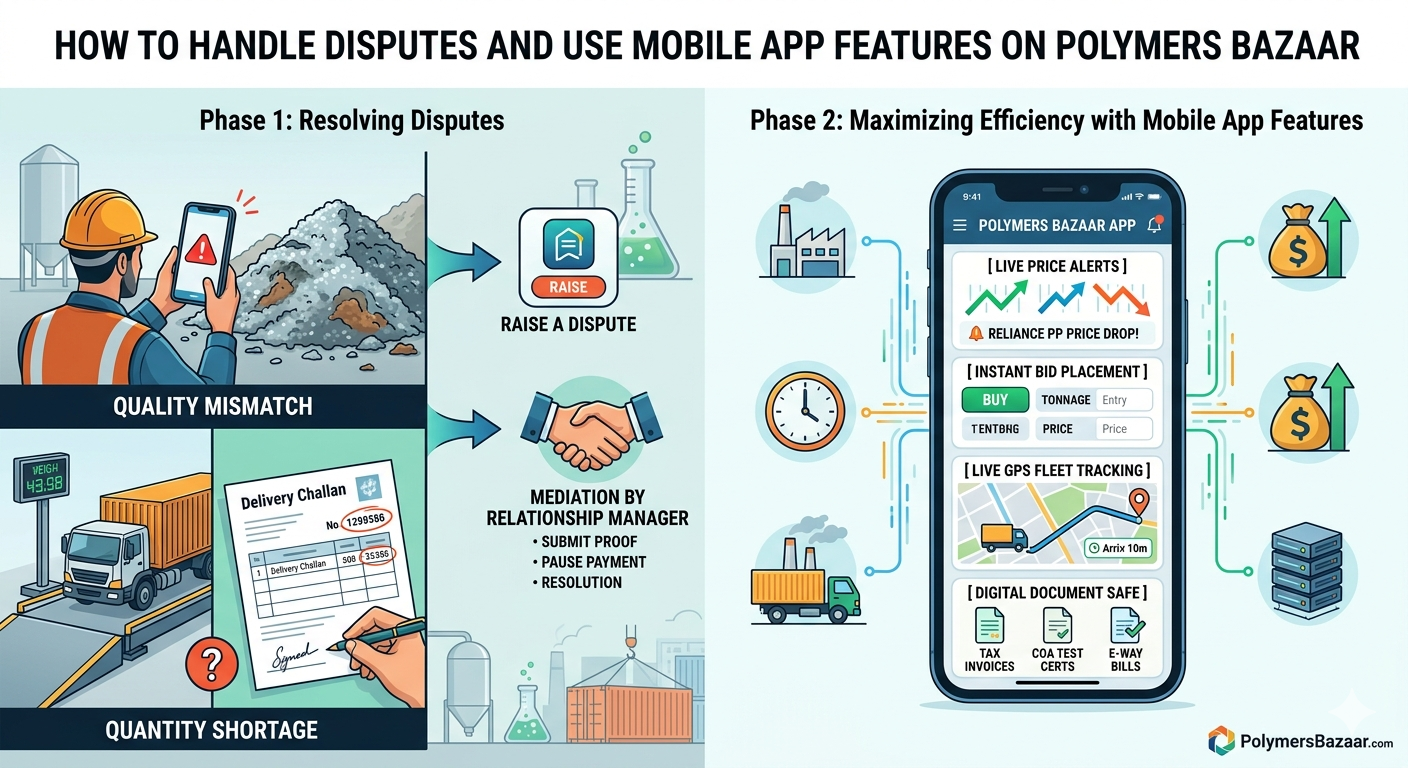
1. Material Quality Mismatch
If a delivered shipment does not match the
Melt Flow Index (MFI), density, or treatment levels specified in your digital
Proforma Invoice:
- Hold the Material: Do not unload
the entire batch into your primary silo or production floor if you notice
visual contamination or roll damage.
- Log the Issue: Open the app,
navigate to your order history, and click "Raise a Dispute."
- Upload Proof: Upload clear photos
of the material defect, manufacturer batch labels, and lab test reports if
available.
- Mediation: Your relationship
manager will pause payment release to the seller, dispatch an independent
surveyor if necessary, and arrange for either a batch replacement or a
mutual commercial settlement.
2. Weight and Quantity Shortages
Bulk polymer resins can occasionally
experience weight variations during long-transit shipping.
- Weighbridge Verification: Always
weigh the delivery truck before and after unloading at your factory gate.
- Sign the Delivery Challan (DC):
Note down any net weight shortages directly on the physical driver’s copy
and take a photo of it.
- Submit Shortage Claim: File the weighbridge slips through the portal within 24 hours. The system will automatically calculate the price difference and issue a credit note to your account.
Phase 2: Maximizing Efficiency with
Mobile App Features
Managing bulk raw materials requires constant monitoring. The official mobile app transforms your smartphone into a portable procurement office.
[Live Price Alerts] ➔ [Instant Bid Placement] ➔ [GPS Fleet Tracking] ➔ [Digital Document Safe]
·
Real-Time Price Discovery
Alerts
Set custom push notifications for specific grades (e.g., Reliance PP, Indian
Oil PP, or specific BOPP film microns). The app alerts you the moment prices
drop or spike, allowing you to lock in inventory before market shifts.
·
Instant Bid Placement
(On-The-Go Indents)
You do not need to be at your desk to place a buy requirement. Use the
quick-tap interface to enter your required tonnage and target price, sending
your requirement directly to verified sellers instantly.
·
Live GPS Fleet Tracking
Once the dispatch vehicle leaves the seller's warehouse, you can view its live
location directly on a built-in map. This lets your floor managers schedule
labor and crane availability precisely when the truck arrives.
·
Digital Document Safe
Access all tax invoices, test certificates (COA), E-way bills, and Proforma
Invoices within a single secure tab. This removes the need for paper filing and
speeds up your internal accounting workflows.
Quick Tips for Smooth Trading
- Turn on Notifications: Allow the
app to send high-priority push notifications so you never miss a
time-sensitive counter-offer from a seller.
- Keep KYC Updated: Ensure your
updated GST filings or changes in factory address are uploaded immediately
to prevent logistics delays.
- Use the Chat Tool: Communicate directly with your relationship manager using the integrated chat feature for faster text updates.
Ready to monitor your industrial supply
chain from anywhere? Download the mobile tool directly from the Polymers Bazaar
Website and verify your phone number to get started.